Most boutique Instagram pages are full of beautiful work and bring in very few orders. The likes come from other tailors and from people three states away; the customer around the corner never sees it, or sees it and does not know how to order. This guide shows how to set up a page that turns visitors into customers, what to post each week, how to shoot it with a phone in the shop, and how to turn messages into confirmed orders.
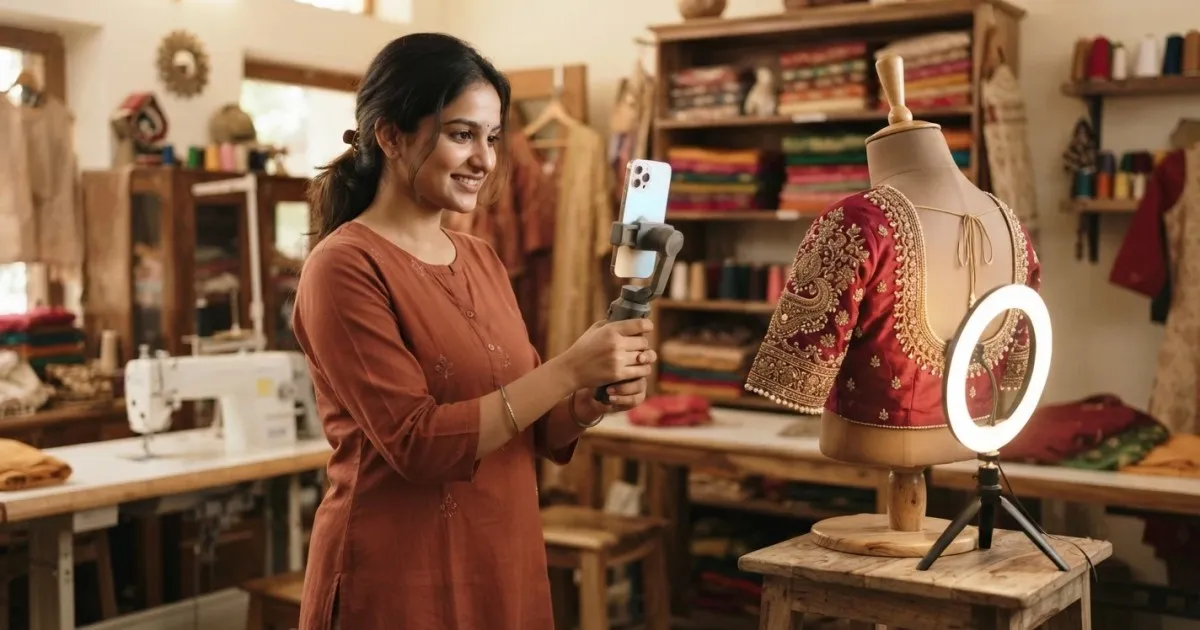
Boutique owner filming a short video of a finished bridal blouse on a dress form
A customer sees a blouse back she loves while scrolling at night. She taps the profile. There is no location, no phone number, no idea of the price, and the last post is from four months ago. She saves the photo and takes it to the tailor she already knows.
The work did its job. The page did not.
Instagram does not bring orders because a shop posts often. It brings orders when the right local customer sees the work, trusts the shop, and can order in one or two taps.
In this guide you will find:
Why most boutique pages bring likes but not orders
How to set up the profile so a visitor can order
What to post each week, and why
How to shoot good photos and videos with a phone
How to turn messages into confirmed orders
What to check each month
Why Most Pages Bring Likes but Not Orders
Four reasons, and none of them are about the quality of the stitching.
The Page Speaks to Tailors, Not Customers
Close-ups of seams and technical captions impress other tailors. A customer wants to see how the blouse looks worn, what it would cost, and how long it takes.
Nobody Knows Where the Shop Is
Without the area in the bio, location tags on posts and local hashtags, the page reaches people who can never visit. Followers from far away look good and order nothing.
There Is No Clear Way to Order
If the next step is not obvious – a WhatsApp button, a phone number, a line saying how to book – most interested customers simply do not take one.
Posts Stop When the Shop Gets Busy
The busiest months are when the best work is being made, and when nobody has time to post it. The page goes quiet exactly when customers are looking.
Set Up the Profile So a Visitor Can Order
A visitor decides in a few seconds. Make those seconds count:
Switch to a professional (business) account, so contact buttons and basic insights are available.
Put your area and city in the name or bio, along with what you stitch – for example, bridal blouses and churidars in your locality.
Add a WhatsApp contact button or link, and the shop phone number.
Write one line on how to order: “Send the design photo on WhatsApp to book a measurement visit.”
Create highlights for Bridal, Blouse backs, Kids, Gents, Customer reviews and How to order.
Use the same shop name and photo as on your Google Business Profile, so customers recognise you.
What to Post Each Week
A small, steady mix works better than a burst of posts once a season:
Post type | Example | Why it works |
|---|
Finished work | Blouse back on a dress form, front and back | Shows what she will get |
Short video | A slow turn around a finished garment, or the embroidery up close | Videos reach people who do not follow you yet |
Before and after | Customer’s fabric and design photo, then the finished blouse | Shows you can turn her idea into a garment |
Worn by the customer | With her permission – the blouse at her function | Proof that it fits, not only that it looks good on a form |
Behind the scenes | Measuring, cutting, the trial fitting | Builds trust in the people and the process |
Customer words | A short review, or a voice note turned into text | Other customers believe customers more than the shop |
Booking notice | Festival and wedding-season booking dates | Turns attention into orders before the rush |
Three or four posts a week is plenty for most shops. Consistency matters more than volume.
For ideas on which designs customers are asking for, see our guide to trending blouse back neck designs.
Shooting in the Shop With a Phone
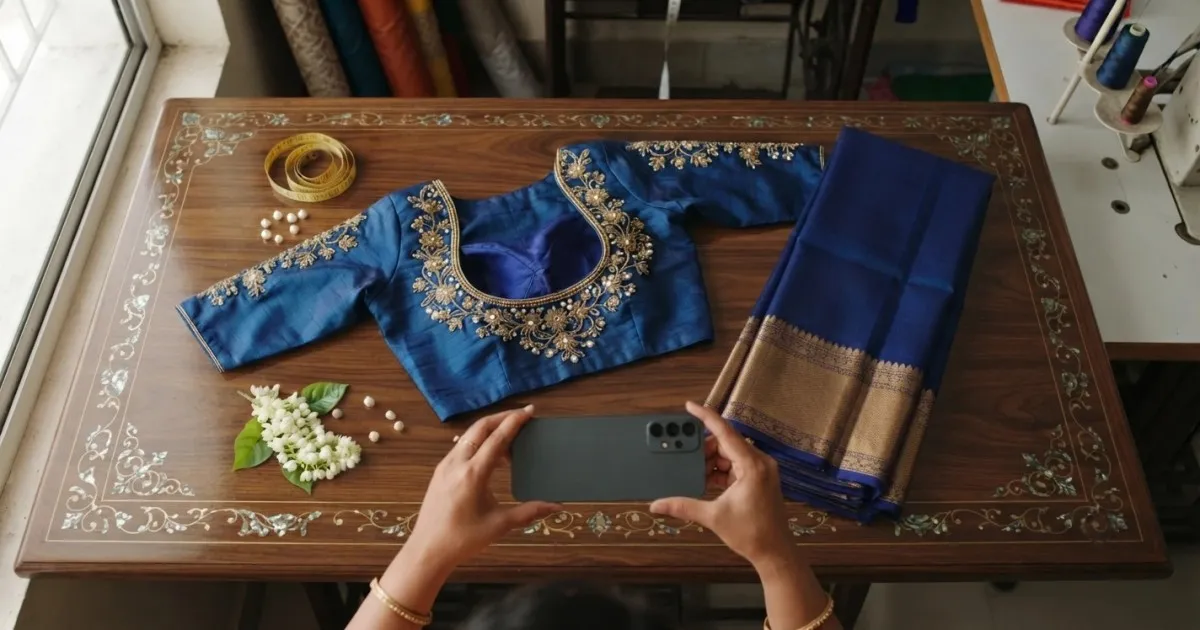
Overhead flat-lay of a finished silk blouse and saree being photographed with a phone
No studio is needed. A window, a dress form and a clean table are enough:
Shoot near a window in daylight. Turn off overhead tube lights to avoid mixed colours.
Use a dress form for blouses and kurtis. A garment on a hanger never looks as good.
Shoot flat-lays from directly above, on a plain or simple wooden surface, with one or two small props such as jasmine or the matching saree.
Clean the background. Thread ends, bills and plastic covers distract from the work.
Take the back as well as the front. For blouses, the back neck is often what sells.
For videos, move slowly and keep them short. A steady ten seconds beats a shaky minute.
Never post a customer’s face or name without asking first.
Captions, Hashtags and Local Reach
The caption tells her what she is looking at and what to do next:
Start with what it is: the garment, the fabric and the work done.
Add a starting price or price range if you are comfortable – it filters out enquiries that will never order.
Say how long it takes and how to book.
Tag the shop location on every post.
Use a handful of relevant hashtags, including your city and area, rather than thirty generic ones.
Reply to comments the same day. A question answered in public helps every customer reading it.
Instagram works best alongside the other ways shops find customers, covered in our guide on how to get more customers for your tailoring shop.
Turning Messages Into Orders
Most orders begin as a message: “price?” or “can you make this?”. How the shop replies decides whether it becomes an order:
Reply quickly and in full sentences, not just a number.
Give a price range, what affects it, and the time needed.
Ask for the design photo, the fabric and the date she needs it by.
Move the conversation to WhatsApp or the shop phone for booking, and send one summary of the order.
Invite her for measurements, or confirm her measurements if she is a returning customer.
Once the order is booked, it should leave the chat and go into the shop’s order record, like any other order.
If you keep orders, measurements and delivery dates in Juvee, an order that started on Instagram is handled exactly like one taken at the counter.
What to Check Each Month
Fifteen minutes a month is enough to see whether the page is working:
Check | What it tells you |
|---|
Which posts brought the most messages | What customers actually want to order |
Where followers are located | Whether you are reaching people who can visit |
How many messages became orders | Whether replies and pricing are working |
Which videos were watched to the end | What kind of video to make more of |
Whether every post had a location tag | Whether local customers can find you |
Make more of what brings orders, not of what brings likes.
Questions Tailors Ask
Can Instagram really bring orders to a tailoring shop?
Yes, when the page is set up for local customers: the area in the bio, a location tag on every post, a clear way to order, and regular posts of finished work. Without those, it mostly brings likes.
How often should a boutique post on Instagram?
Three or four times a week is enough for most shops. Keep it steady through busy months rather than posting a lot once and then stopping.
Should I show prices on Instagram?
A starting price or a range helps. It saves time on enquiries that will never order and gives serious customers confidence to message.
Do I need a professional camera?
No. A recent phone, daylight from a window, a dress form and a clean background are enough for photos and short videos that look professional.
Can I post photos of customers wearing my work?
Only with their permission. Many customers are happy to be featured, especially at a function, but always ask first and respect a no.
Should I take orders directly in Instagram messages?
Start the conversation there, but move the booking to WhatsApp or the phone and record the order in the shop’s system. Instagram messages are easy to lose and hard to search.
Make the Work Do the Talking
Instagram brings the customer to the shop. Consistent fit is what makes her post your work herself. The quickest way to see how measurement-based patterns give every new customer the same result is to watch one drafted from measurements you brought yourself.
Book a free demo – on-site or online, in your language, with no commitment.