Best Tailoring Software in India (2026): The Complete Buyer's Guide
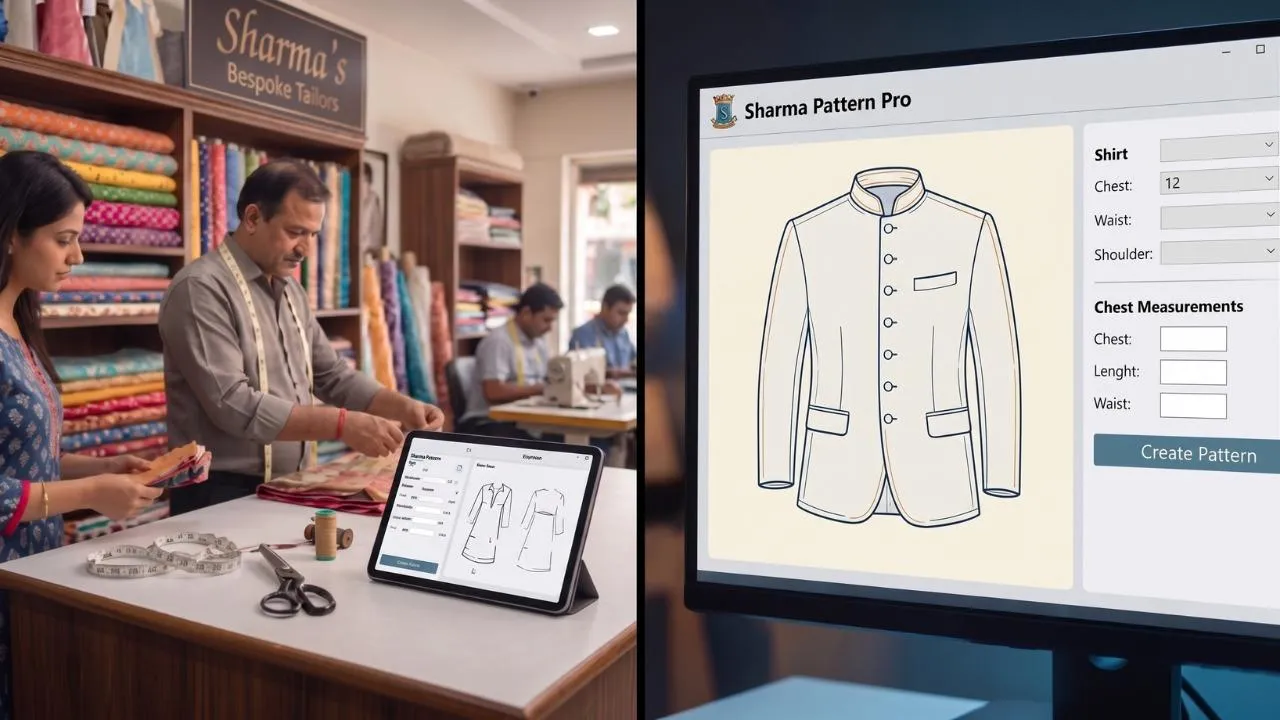
Search "tailoring software" online and you get a confusing mix — billing apps, order trackers, and pattern-cutting systems all use the same name. They solve completely different problems. This 2026 guide sorts them out so you can pick the right tailoring software for your shop, boutique or unit in India.
The Two Kinds of Tailoring Software
Tailor shop software manages the business side: customer records, orders, measurements on file, billing and delivery reminders. Tailoring CAD software works on the production side: it drafts the actual pattern from a customer's measurements and cuts it — the job of a cutting master. Most shops searching for "software for tailoring shop" actually need both sides, but the production side is where the real money is saved.
What Tailor Shop Software Does
Order booking, measurement storage, SMS/WhatsApp updates, billing and staff tracking. It keeps the counter organised and stops orders from being forgotten. What it cannot do is make a blouse fit — the pattern is still drawn and cut by hand.
What Tailoring CAD Software Does
Enter the customer's measurements and the software drafts the full pattern — blouse, chudidhar, kurti or gents wear — graded exactly to size. It then prints the pattern on a plotter or cuts the fabric directly on a laser machine. No cutting master needed, no trial fittings, and every repeat order is cut identically.
How to Choose in 2026
Ask four questions:
- Does it draft patterns from measurements, or only store them?
- Does it support the garments you actually stitch — blouse, chudidhar, kurti, gents?
- Does it connect to a printer, plotter or laser cutter so the pattern reaches the table?
- And is there local support and training in India?
What to Compare Before You Buy
Most tailoring software looks similar in a brochure. These are the points that actually differ between products, and the ones a shop feels within a month.
| Compare this | Why it decides the purchase |
|---|
| Full-scale printing | A pattern on screen still has to reach the cloth. Screen-only software leaves you tracing by hand. |
| Garment range | Blouse-only software stops being useful the day a gents or kids order arrives. |
| Customer measurement storage | Repeat orders should not mean re-measuring. This is what keeps a customer’s second blouse fitting like her first. |
| Automatic seam allowance | Adding it by hand on every piece is where quiet errors enter. |
| Offline operation | Shops in smaller towns cannot depend on the connection holding all day. |
| Training language | Software explained only in English is not usable by most cutting staff. |
| Support response | The real questions start in week two, not on day one. |
| Hardware needed | A plotter or pattern printer taking 15-inch roll paper. Budgeting for software alone stalls the whole change. |
Questions Worth Asking During the Demo
A demo file is chosen to look good. Bring the measurements of a customer whose garment gave you trouble last month and ask for that one instead.
- Can you draft this from my measurements now, and print it full size while I watch?
- What happens when the same customer orders again next month?
- Show me a design being modified and saved as my own model.
- Who trains my cutting assistant, in which language, and for how long?
- What does support cost after the first year?
- How much fabric does the layout save compared with hand marking?
If a demo cannot end with a printed pattern in your hand, it is drawing software whatever the brochure calls it.
Frequently Asked Questions
What does tailoring software cost in India?
It varies by module and by whether the printer is included. Ask for the total of software, printer, paper and training rather than the software figure alone.
Do I need a computer background to use it?
No. The skill required shifts from drafting to measuring accurately, which is why shops use it to bring new cutters up to standard quickly.
Will it work for gents and kids garments too?
It depends on the modules. Check before buying, because adding a module later usually costs more than including it at the start.
Can I keep cutting by hand as well?
Yes, and most shops do for a while. The software takes over the repeat and the standard work first, which is where the wasted time sits.
How long before the shop is running on it?
Most are drafting their own orders within a week, provided the training happens in the language the cutting staff actually speak.
If cutting accuracy, fabric waste or dependence on a cutting master is your problem, choose CAD; a billing app will not solve it. |
|---|
Why 10,000+ Indian Tailors Chose Fashion Dot
Fashion Dot has built tailoring CAD software in India since 2003 — the first computerised cutting-master system for ladies' blouse and chudidhar. It stores measurements like shop software, drafts and grades the pattern automatically, and drives the full cutting ecosystem: pattern printer, plotter, projector and laser cutting machine, with service branches across India.
Want to see the difference on your own orders? Fashion Dot's tailoring CAD software drafts every pattern to your customer's exact measurements — then prints or laser-cuts it in minutes, with no cutting master needed.
Book a Free Demo →
Published by Fashion Dot, which makes tailoring CAD software. We have tried to
be straight about where our own product fits and where it does not — the category
table below places us in one row of three, not at the top of all of them.
The Mistake Almost Everyone Makes
“Tailoring software” is not one product. It is three different kinds of
product sold under the same phrase, and most disappointment comes from buying one
kind while expecting another.
A shop that buys billing software hoping it will cut patterns will be disappointed.
A shop that buys pattern software hoping it will chase pending balances will be
disappointed too. Work out which of the three you actually need first.
The Three Kinds of Tailoring Software
| Kind | What it does | What it does NOT do | Products in this category |
|---|
| 1. Shop management / billing | Orders, invoices, delivery dates, pending balances, customer measurements stored as text, staff and expense reports | Does not draft or cut a pattern | TailoBill, Sunrise Tailoring, Smart Tailor, ShriStitch, Geelus, and Fashion Dot’s own Juvee |
| 2. Pattern making / CAD | Drafts full-size pattern pieces from the customer’s measurements, applies seam allowance, prints or laser-cuts | Does not run your billing or your order book | Fashion Dot, Cutting Master, Tailornova |
| 3. Design / visualisation | Shows the customer a coloured drawing or a 3D preview before stitching | Produces nothing you can lay on cloth | Tailor-i, Design 3Di and similar |
Most working shops end up needing one from category 1 and one from
category 2. Category 3 is a sales aid, useful but not a production tool.
Which One Do You Actually Need?
| Your problem today | The kind that fixes it |
|---|
| Orders get forgotten; balances are chased from memory | Shop management / billing |
| Delivery dates slip and nobody notices until the customer calls | Shop management / billing |
| The same customer’s second blouse does not fit like her first | Pattern CAD |
| Cloth is being re-cut often enough that nobody counts it | Pattern CAD |
| Everything stops when the master cutter is on leave | Pattern CAD |
| You cannot take a bulk or uniform order because drafting does not scale | Pattern CAD |
| Customers cannot picture the design before stitching | Design / visualisation |
| You want the shop’s numbers and the cutting to talk to each other | Both 1 and 2, from suppliers whose products connect |
Comparing Shop Management Software
These products overlap heavily. Rather than repeat their feature lists, here is
what actually separates them once a shop is using one daily:
- Does it work when the connection drops? A billing screen that will not open during a power or network cut stops the counter.
- Can two branches see the same customer? This is the single feature most shops discover they need after buying.
- Are part payments handled properly? Advance at order, part at trial, balance at delivery — all against one order.
- Does it show today’s deliveries in one screen? Paper diaries fail here, not at arithmetic.
- What does support cost after year one? Ask before buying, not after.
- Can you export your own data? If you ever change product, you want your customer list back.
Check the current pricing on each supplier’s own site — published figures on
listing sites go stale, and most sell in plans that change.
Comparing Pattern CAD Software
This is the category Fashion Dot is in, so read the following knowing that. The
test points below are the ones we would want a buyer to apply to us as much as to
anyone else:
- Does the demo end with a printed full-size pattern in your hand? If it ends on screen, it is drawing software.
- Bring your own difficult customer. Not the sample file — the measurements of someone whose garment gave you trouble last month.
- How many garment modules? Blouse-only software stops being useful the day a gents or kids order arrives.
- Is seam allowance automatic? Adding it by hand on every piece is where quiet errors enter.
- Are measurements stored per customer? This is what makes the second garment fit like the first.
- Which language is the training in? Software explained only in English is not usable by most cutting staff.
- What hardware is required? A plotter or pattern printer taking 15-inch roll paper. Budgeting for software alone stalls the change.
Where Fashion Dot Fits — and Where It Does Not
Fashion Dot is category 2. It has built tailoring technology from Coimbatore since
2003, launched the first computerised cutting software in India in 2012, and the
modules have been shaped by feedback from more than 11,000 tailors and boutiques.
It is a good fit if:
- You cut regularly and re-cutting is costing you cloth.
- You have repeat customers who expect the same fit every time.
- More than one person cuts, and the fit varies with who is in.
- You want blouse, churidar, gents, kids and dress modules in one system.
- Your staff need training in Tamil, Hindi, Telugu, Kannada or English.
It is not the right answer if:
- Your only problem is billing and pending balances — you want category 1, and
Juvee or one of the
billing products above will serve you better.
- You cut two or three garments a week and draft comfortably by hand — the
printer will not pay for itself yet.
- You mainly want to show customers a 3D preview — that is category 3.
How to Shortlist in One Week
- Write down the problem in one sentence. “Orders get forgotten” and “cloth gets re-cut” lead to two completely different products.
- Pick the category from the table above.
- Shortlist three suppliers in that category only.
- Book all three demos in the same week, and give each the same real customer measurements or the same real order.
- Ask each for the total: software, hardware, training, and support after year one.
- Ask to speak to a shop like yours that already uses it.
A supplier who cannot connect you to an existing customer of similar size is
telling you something.
Frequently Asked Questions
What is the best tailoring software in India?
There is no single best, because the three categories solve different problems. For
billing and order management, compare the shop-management products. For drafting and
cutting patterns, compare the CAD products. A shop cutting in volume usually ends up
running one of each.
Can one software do both billing and pattern cutting?
Some suppliers offer both as separate modules that share a customer list, which is
the practical arrangement. A single product that does both equally well is rare.
How much should I budget?
Ask each supplier for the total of software, printer or plotter, paper, training and
year-two support. The software price on its own is the least useful number in the quote.
Is free tailoring software worth trying?
Free tools are a reasonable start for billing at very low volume. There is no free
tool that drafts a full-size pattern to a customer’s measurements and prints it,
because the drafting rules have to be built in.
Do I need internet in the shop?
Check this specifically. Good products keep working offline and sync later. A shop
that cannot bill or cut when the line drops has swapped one problem for another.
How long does it take to switch?
Most shops are running their own orders within a week when training is done in the
language the staff actually speak, and have moved the bulk of the work across within
three months.
See a Pattern Drafted From Your Own Measurements
If your problem is the cutting rather than the billing, the quickest way to judge any
CAD product — ours included — is to watch it draft a garment you already know
is difficult.
Book a free demo and bring one
customer’s measurements. On-site or online, in your language, with no commitment.