A boutique can carry a hundred blouse neck models in a photo album and still lose the order, because knowing the design is not the same as drafting it. This guide covers what blouse design software does, what to check before buying, and where free tools stop being enough.
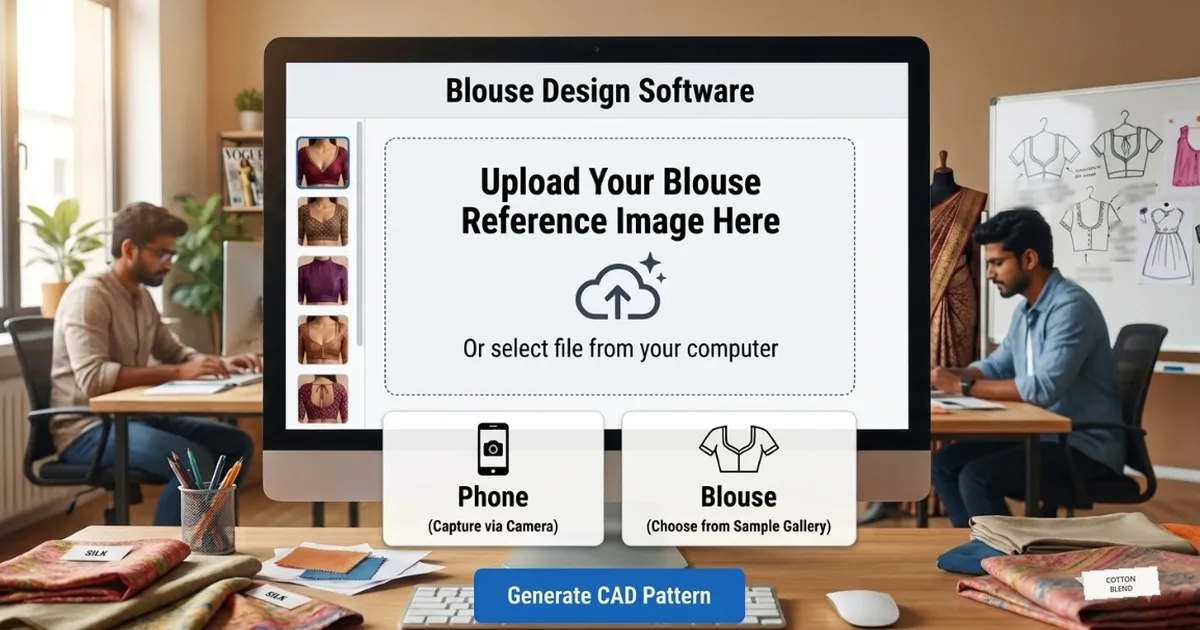
Blouse design software open on a boutique computer with a reference image screen and blouse models beside it
A customer opens her phone and shows a blouse back design she saved from Instagram. She wants exactly that, for a wedding, in eleven days.
The boutique owner knows the design. She has stitched something close to it before. The difficulty is not taste, and it is not skill at the machine. It is getting that design onto paper at the customer’s measurements, today, without cutting three trial pieces first.
That gap between the picture and the pattern is what blouse design software is for.
In this guide you will find:
What blouse design software actually does, step by step
The eight things worth checking before you pay for any of it
Where free blouse designing software genuinely helps, and where it stops
Which blouse, neck and sleeve patterns the software should draft
What the workflow looks like from measurement to cut cloth
The mistakes boutiques make when choosing
What Blouse Design Software Actually Does
The name causes confusion, because two very different kinds of product are sold under it.
The first kind is drawing software. You sketch a blouse, colour it, and show the customer a picture. Useful for approval; it produces nothing you can cut.
The second kind is blouse pattern making software. You enter the customer’s measurements, choose the neck, the back and the sleeve, and it drafts the actual pattern pieces at full size, ready to print and lay on the cloth. This is the kind that changes how a boutique works.
A proper blouse pattern tool runs four steps:
Measurements are entered once, against the customer’s name and order number.
A design is chosen: the blouse style, the neck model, the back model, the sleeve.
The software drafts every piece to the exact measurements, with seam allowance included.
The pattern prints at full scale on roll paper, ready to place directly on the fabric.
No redrawing, no grading by hand, no trial piece.
Starting From a Reference Design
Almost every blouse order now begins with a picture. The customer has saved it on her phone, and she wants that one.
So the first thing a boutique needs is a way to get from her picture to a model the software can draft. In practice that means one of three routes:
Capture the reference from the phone, or bring the image across from the computer, and keep it on the order.
Match it against the sample gallery and pick the closest neck, back and sleeve.
Adjust that model where it differs, then save the result as your own design for the next customer who asks.
The picture is the starting point, not the pattern. What turns it into a pattern is the measurement sheet behind it, which is why the reference and the measurements belong on the same order.
Eight Things to Check Before You Buy
Most disappointment comes from checking the design library and nothing else.
What to check | Why it matters |
|---|
Does it print full size? | A pattern on screen still has to reach the cloth. Screen-only tools leave you tracing. |
How many neck and back models? | A boutique needs variety in stock, not five shapes that all look alike. |
Are measurements stored per customer? | Repeat orders should not mean re-measuring and re-drafting. |
Is seam allowance automatic? | Adding it by hand on every piece is where errors creep in. |
Are sleeve models included? | Neck-only software leaves half the blouse unsolved. |
Training language | Software explained only in English is not usable by most cutting staff. |
Support after purchase | The questions start in week two, not on day one. |
Does it run offline? | Shops in smaller towns cannot depend on the connection holding. |
If a demo cannot show a printed pattern at the end, it is drawing software, whatever the brochure says.
Free Blouse Designing Software: An Honest Comparison
Blouse designing software free download is one of the most searched phrases in Indian tailoring, and it deserves a straight answer rather than a sales one.
What you need | Free tools | Blouse pattern software |
|---|
Show the customer a design | Works well | Works well |
Draft to her measurements | Manual, every time | Automatic |
Store a customer size | Not built for it | Built in |
Print at full scale | Rarely supported | Standard |
Seam allowance | By hand | Automatic |
Neck and back model library | Whatever you draw | Ready made |
Learning time | Weeks of drawing skill | Days of measuring practice |
Cost | Nothing | One time or plan based |
Free tools are a reasonable place to begin if you cut two or three blouses a week and draft comfortably by hand. The moment a second person starts cutting, or the same customer expects the same fit twice, the free route starts costing more in cloth than the software costs.
The Patterns a Blouse Module Should Cover
Design range is what a customer actually chooses from, so it is worth counting rather than assuming.
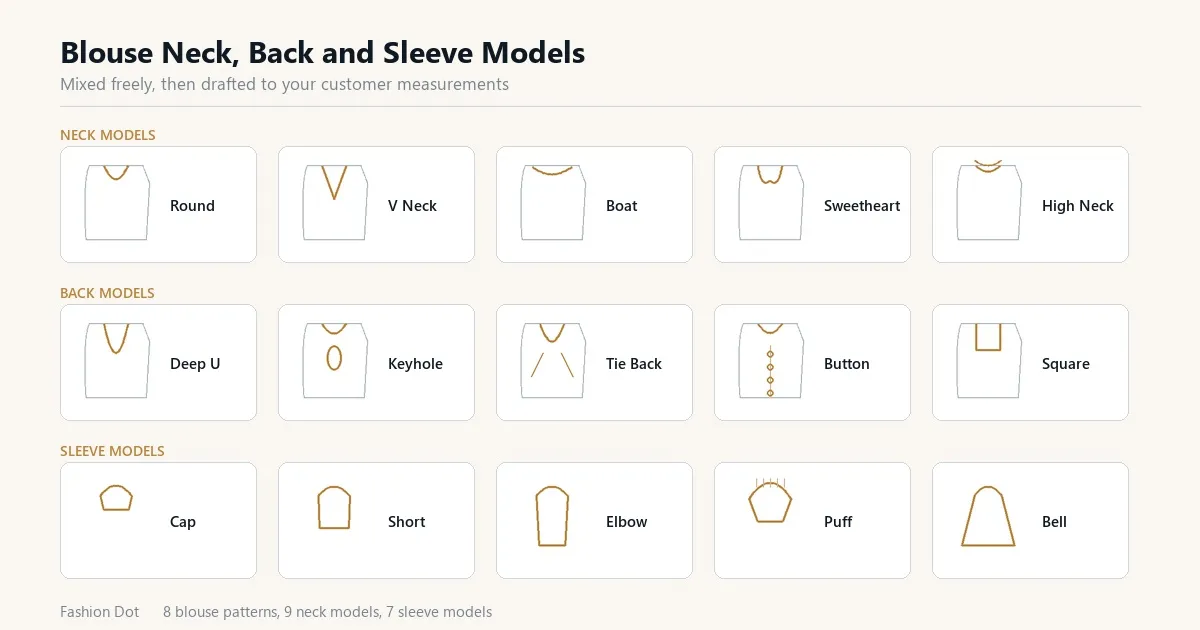
Blouse neck, back and sleeve models shown in blouse design software for a boutique customer to choose from
A working blouse module should cover, at minimum:
Blouse styles: princess cut, katori, panelled, high neck, boat neck, sweetheart, keyhole and plain round
Neck models: front and back variations that can be mixed independently
Sleeve models: short, elbow, three quarter, puff, bell, cap and full
Back models: deep, keyhole, tie back, button and patch styles
Saree blouse, pattu blouse and designer blouse variants
The Fashion Dot blouse module ships with 8 blouse patterns, 9 neck models and 7 sleeve models, mixed freely, so one customer combination is unlikely to be the next one.
The full list of what each plan contains is on the plan features page.
From Measurement to Cut Cloth
The workflow matters more than the feature list, because it is what the shop repeats forty times a week.
Measurements taken - Design chosen with the customer - Pattern drafted - Printed full size - Laid on cloth - Cut - Stitched - Fit checked at delivery
Two of those steps are where software earns its cost. Drafting takes minutes instead of an afternoon, and printing removes tracing altogether. Everything else stays exactly as your shop already does it, which is why staff pick it up quickly.
For shops cutting in volume, the printed pattern can feed a laser cutter directly, so the cloth is cut to the same line the software drew.
Mistakes Boutiques Make When Choosing
Buying on the number of designs alone
Two hundred designs that cannot be printed to size are worth less than twenty that can. Ask to see a pattern come out of the printer during the demo.
Ignoring who will operate it
The owner is not usually the person cutting at four in the afternoon. If the cutting assistant cannot follow the training, the software sits unused.
Treating the printer as optional
Full-scale patterns need continuous roll paper, normally 15 inches wide. Budgeting for the software and not the printer stalls the whole change.
Not testing with a real customer measurement
Demo files are chosen to look good. Bring the measurements of a customer whose blouse gave you trouble last month and ask for that one.
What Fashion Dot Includes
Fashion Dot has built tailoring technology from Coimbatore since 2003, and launched the first computerised cutting software in India in 2012. The blouse module has been shaped by feedback from more than 11,000 tailors and boutiques.
Blouse, neck, sleeve and back models drafted to your customer measurements
Measurements stored against the customer for repeat orders
Seam allowance applied automatically
Full-scale printing on continuous roll paper
Churidar, gents and kids modules in the same software
Training and support in Tamil, Hindi, Telugu, Kannada and English
The blouse module is described in detail on the blouse pattern making software page.
Plans and what each one includes are on the tailoring CAD software price page.
Questions Boutiques Ask
Is there a genuinely free blouse design software?
There are free drawing tools that let you sketch and colour a blouse. There is no free tool that drafts a full-size pattern to a customer measurement and prints it, because that requires the drafting rules to be built in.
Do I need drafting experience to use it?
No. The skill shifts from drafting to measuring accurately. Staff who have never drafted by hand can produce master-quality patterns, which is why shops use it to train new cutters.
Can I add my own blouse design?
Yes. Existing models can be modified and saved, so a design a customer brings on her phone can become a reusable pattern in your own library.
Will it work without internet?
Yes. The software runs on the shop computer. The connection is only needed for updates and remote support.
What printer does it need?
A plotter or pattern printer that takes continuous roll paper, normally 15 inches wide. An ordinary A4 printer cannot produce a usable full-scale pattern.
How long before staff are comfortable with it?
Most boutiques are drafting their own orders within a week, provided the training is done in the language the cutting staff speak.
See a Blouse Drafted From Your Own Measurement
The quickest way to judge blouse design software is to watch it draft a blouse you already know is difficult. Bring one customer measurement and one design she asked for.
The demo runs on-site or online, in your language, with no commitment.
Book a free demo and see your own blouse pattern drafted and printed to full scale.