When someone new in your area needs a blouse stitched, she does not ask a neighbour first any more. She types “tailor near me” into her phone and looks at the map. This guide shows how to set up and improve your shop’s Google Business Profile, what to fill in, which photos bring customers in, how to get and answer reviews, and how to keep the profile working in fifteen minutes a month.

Customer using a map on her phone to find a tailoring shop on a busy street
There is a shop on almost every street that has been stitching beautifully for twenty years and does not appear on the map at all. Two streets away, a newer shop with average work shows up first, with forty photos, a hundred reviews and the right opening hours.
The new customer does not know which shop is better. She only knows which one she can find, and which one looks open and busy.
A Google Business Profile is free. Leaving it empty is one of the most expensive decisions a shop can make without noticing.
In this guide you will find:
Why good tailors are invisible on Google
How to set up or claim your profile
What to fill in, and what most shops get wrong
Which photos bring customers in
How to get reviews and how to reply to them
A fifteen-minute monthly checklist
Why Good Tailors Are Invisible on Google
Four reasons, and none of them are about the quality of the work.
The Profile Was Never Claimed
Many shops already have a listing that Google or a customer created, with a wrong phone number, no photos and nobody answering it. Until the owner claims it, the shop has no control over what customers see.
The Information Is Wrong or Missing
Old hours, a closed number, the wrong category. A customer who calls a dead number or arrives at a closed shutter does not try a second time.
There Are No Photos of the Work
Tailoring is chosen with the eyes. A profile with one blurry photo of the shop front loses to one with clear photos of finished blouses, every time.
There Are Few Reviews, and None Are Answered
Happy customers rarely leave a review unless they are asked. Unhappy ones often do. Without a steady flow of reviews and replies, one bad review becomes the whole story.
Setting Up or Claiming Your Profile
It takes less than an hour, most of it waiting for verification:
Search for your shop name and area on Google Maps. If it appears, choose the option to claim it. If not, add a new business.
Use the shop name exactly as it appears on your board – nothing added.
Place the map pin on the actual shop entrance, not the building or the street.
Add the phone number the shop actually answers, and WhatsApp if you use it.
Complete the verification Google asks for. The method varies; follow it through.
Add a second person as a manager, so the profile is not lost if one phone or email is.
What to Fill In
Every field you complete is another reason for Google to show your shop and for a customer to choose it:
Field | What to put | Common mistake |
|---|
Business name | The name on your board, exactly | Adding words like “best blouse stitching” – it breaks Google’s rules |
Primary category | Tailor | Choosing a broad category like clothing store |
Other categories | Only what you really do – for example alterations or dressmaking | Adding every category, including ones you do not offer |
Hours | Real opening hours, plus special hours for festivals and holidays | Leaving old hours, so customers arrive at a closed shop |
Services | Blouse, churidar, kurti, gents, alterations, with short descriptions | Leaving it empty |
Description | What you stitch, for whom, since when, in plain words | A list of keywords instead of sentences |
Photos | Shop front, inside, finished work, team | One old photo of the board |
Fill it in once properly. After that, the work is keeping it true.
Photos That Bring Customers In
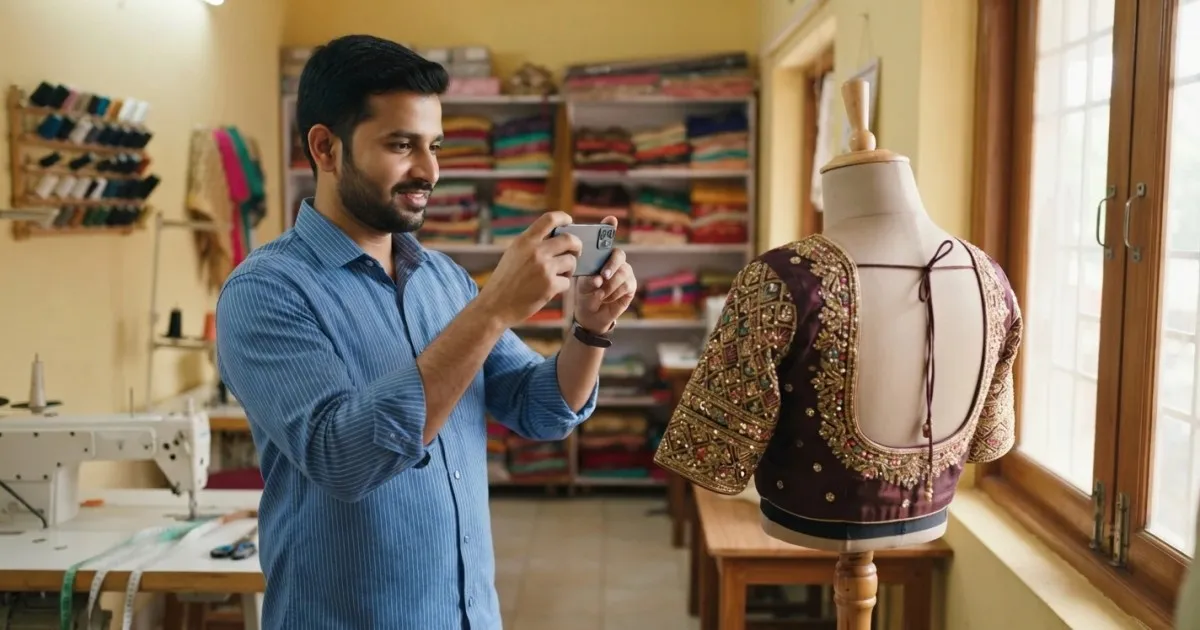
Tailor photographing a finished blouse on a dress form for the shop's Google profile
Customers choose a tailor by looking at the work. Add photos regularly, and make them clear:
The shop front in daylight, so customers recognise it from the street.
The inside, tidy, showing machines and fabric – it tells her the shop is real and working.
Finished garments on a dress form near a window, front and back. Back necks and embroidery sell blouses.
Different garment types, so she sees you stitch more than one thing.
The team at work, if they are happy to be photographed.
Customers only with their permission. Faces are never needed to show a garment.
Hold the phone steady, use daylight rather than the flash, and wipe the lens. That alone puts your photos ahead of most shops on the map.
If you want ideas for what to show, the designs in the Fashion Dot pattern gallery are a good guide to what customers look for.
Getting Reviews and Replying to Them
Reviews decide which shop she visits first. Most satisfied customers are happy to leave one when it is easy and someone asks at the right moment:
Ask at delivery, when she has just tried the garment on and is pleased.
Send the review link on WhatsApp the same day, with one line of thanks.
Ask every customer, not only the ones you expect to be happy.
Never offer a discount or gift for a review, and never write reviews yourself. Both break Google’s rules and can get reviews removed.
Reply to every review. Thank good reviews by name and mention the garment. Answer a bad review calmly, once: apologise for the experience, invite her to come back so you can put it right, and take the details off the page. Customers reading the reply care less about the complaint than about how the shop responded.
If you already keep customer numbers and delivery dates in Juvee, sending the review link at delivery becomes part of the routine instead of something you remember now and then.
Posts, Offers and Festival Updates
The profile can also carry short updates, which keep it looking active:
Festival booking dates and last dates for orders before Diwali, Pongal or Onam.
Wedding-season notices, with how far ahead to book.
New designs or services, with one clear photo.
Changes to opening hours, posted before the change, not after.
One short update a week or two is enough. A profile that looks looked-after suggests a shop that looks after its customers.
A Fifteen-Minute Monthly Checklist
Once the profile is set up, keeping it working takes very little time:
Task | Why it matters |
|---|
Check hours, phone and pin location | Wrong details lose customers silently |
Add five new photos of finished work | Fresh photos show the shop is active |
Reply to every new review | Replies are read as much as the reviews |
Post one update or festival notice | Keeps the profile looking current |
Set special hours for upcoming holidays | Stops customers arriving at a closed shop |
Look at how many calls and direction requests came in | Shows whether the profile is bringing customers |
For other ways to bring new customers in alongside Google, see our guide on how to get more customers for your tailoring shop.
Questions Tailors Ask
Is Google Business Profile free for tailor shops?
Yes. Creating, verifying and updating the profile costs nothing. Google also sells advertising, but a complete, active profile works without it.
Why does my shop not show up for “tailor near me”?
Usually because the profile is unclaimed, incomplete, in the wrong category, or has few photos and reviews. Distance from the person searching also matters, which no shop can change – everything else on this list it can.
Can I add “blouse stitching” to my shop name?
Only if it is genuinely part of the name on your board. Adding extra words breaks Google’s guidelines and can lead to the profile being suspended. Put services in the services and description fields instead.
How do I get more Google reviews?
Ask every customer at delivery, when she is happiest, and send the review link on WhatsApp the same day. Do not offer anything in return for a review.
What should I do about a bad review?
Reply calmly and once. Apologise for the experience, invite the customer to come back so you can fix it, and continue the conversation offline. Do not argue in public.
How often should I update my profile?
Check it once a month: hours, photos, reviews and one update. Before festivals and holidays, add special hours so customers are not caught out.
Be the Shop They Find First
Being found brings the customer to the counter. What keeps her is the fit. The quickest way to see how consistent, measurement-based patterns help every new customer leave happy – and leave a good review – is to watch one drafted from measurements you brought yourself.
Book a free demo – on-site or online, in your language, with no commitment.